> ## Documentation Index
> Fetch the complete documentation index at: https://datum-4926dda5-docs-dns-guides.mintlify.site/llms.txt
> Use this file to discover all available pages before exploring further.
# Domains
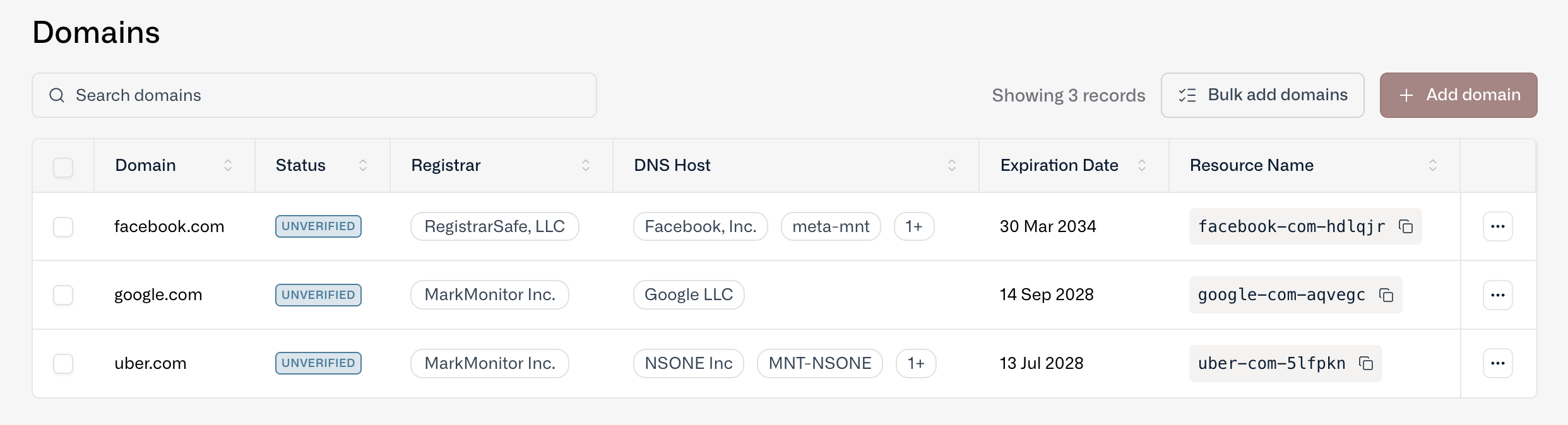
> Track your domains in one place regardless of where they are registered to gain programmatic access to foundational infrastructure components.
**Working with this resource via an AI agent?** Datum publishes a [Domains skill](/agents/skills/domains) that teaches agents the canonical patterns for this resource.
At Datum, domains are just another type of resource.
By tracking your domains in one place (regardless of where they are registered or where DNS is hosted), you and your colleagues gain programmatic access to a foundational component of your infrastructure. No more spreadsheets!
 ## Add a domain
You can add and manage domains through the Datum Cloud portal as well as our programmatic interfaces (MCP and datumctl).
* Add a single domain - Type in the domain name and a resource is created.
* Bulk upload domains - Copy and paste multiple domains or import via a .csv or .txt file.
* Application Load Balancer - Adding a custom hostname to an Application Load Balancer will create a domain resource.
## Add a domain
You can add and manage domains through the Datum Cloud portal as well as our programmatic interfaces (MCP and datumctl).
* Add a single domain - Type in the domain name and a resource is created.
* Bulk upload domains - Copy and paste multiple domains or import via a .csv or .txt file.
* Application Load Balancer - Adding a custom hostname to an Application Load Balancer will create a domain resource.
 ## Verify a domain
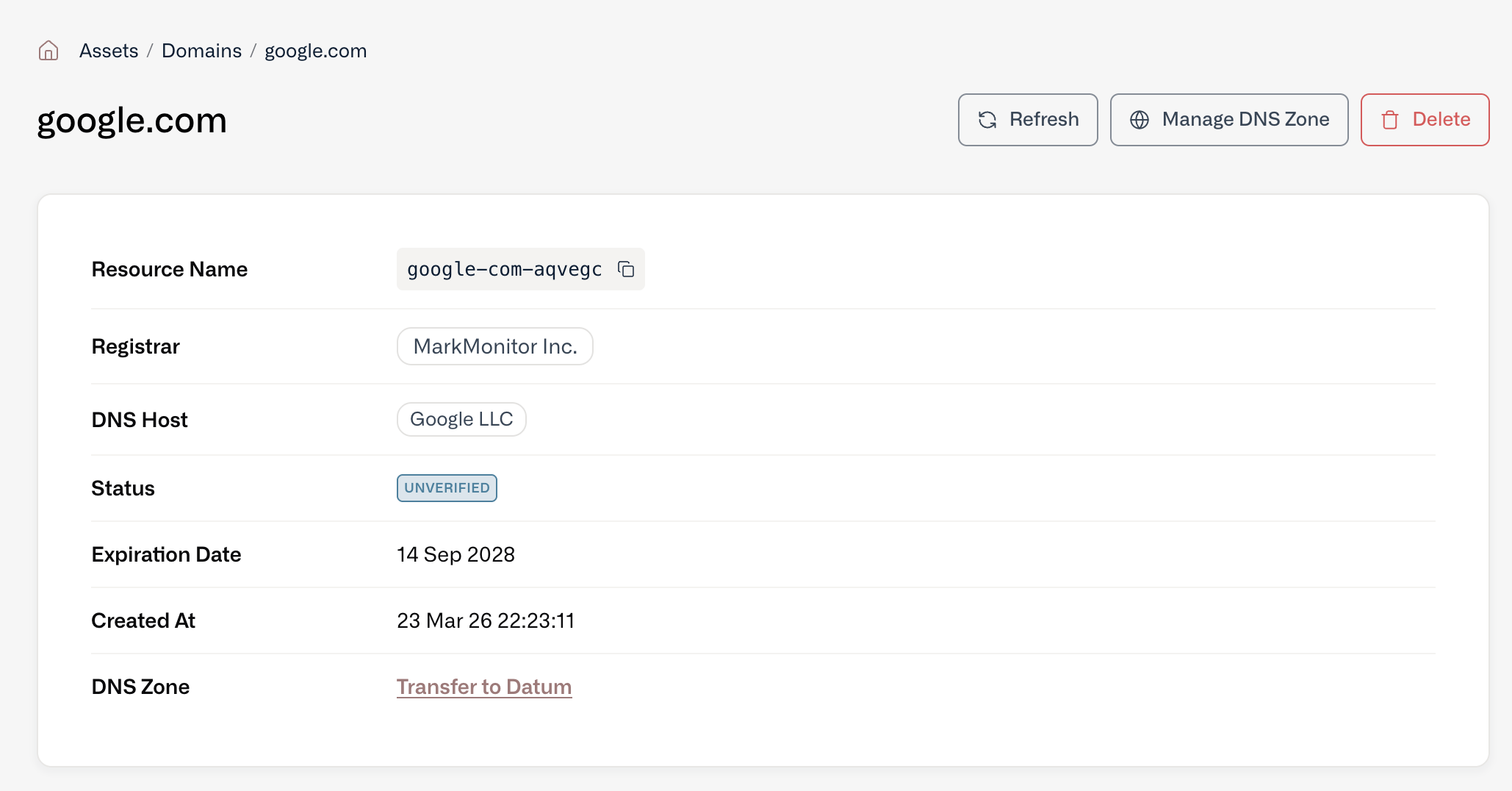
Once you add a domain as a resource, you can verify ownership. Verified domains become available for use in other Datum services such as Proxy and DNS Zone Hosting.
You prove ownership either by publishing a TXT record at whichever provider serves DNS for the domain today, or by serving a token over HTTP from the domain. Datum shows you the exact values to publish and re-checks on its own until it finds them.
## Verify a domain
Once you add a domain as a resource, you can verify ownership. Verified domains become available for use in other Datum services such as Proxy and DNS Zone Hosting.
You prove ownership either by publishing a TXT record at whichever provider serves DNS for the domain today, or by serving a token over HTTP from the domain. Datum shows you the exact values to publish and re-checks on its own until it finds them.
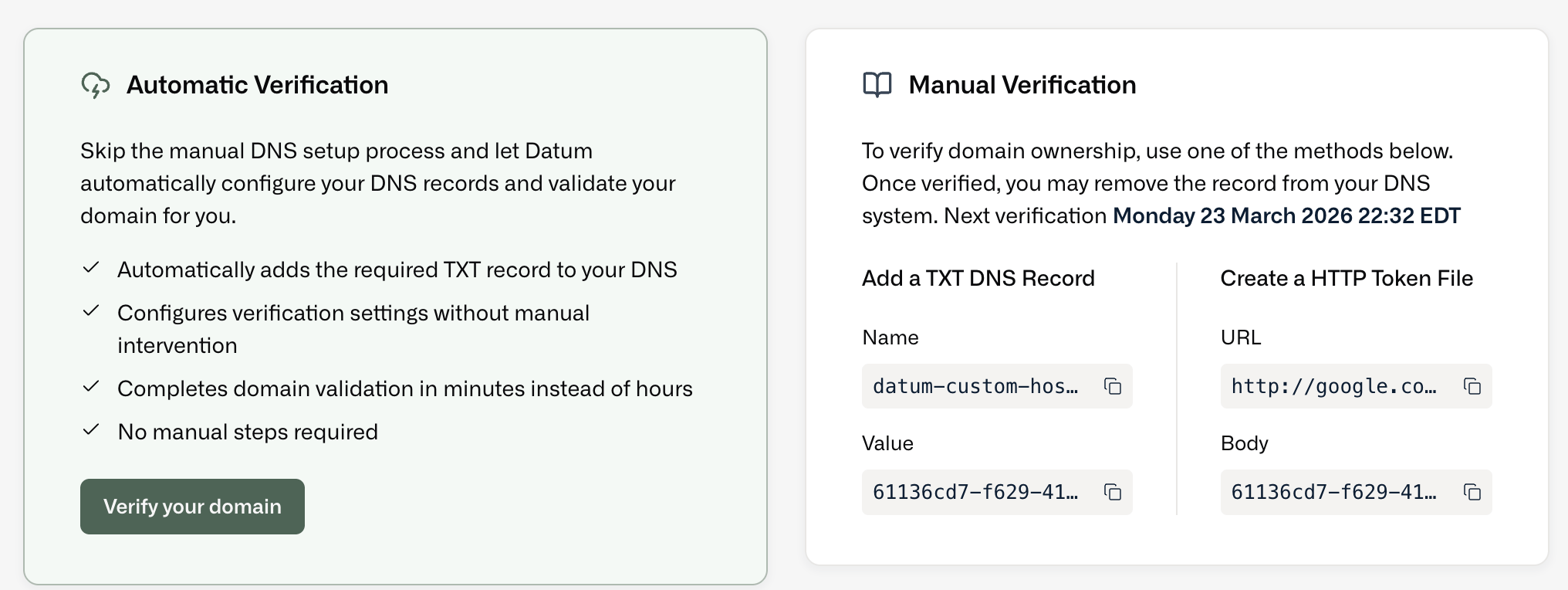 For the full walkthrough, including what to do when verification doesn't complete, see [Verify domain ownership](/domain-dns/domain-verification).
## Domains and DNS zones
A domain and a DNS zone are related but separate. The domain tracks the name itself — where it's registered, which nameservers it uses, and whether you've proven you own it. A [DNS zone](/domain-dns/dns-zones) is Datum hosting the records for that name.
Create a zone for a domain you aren't tracking yet and Datum adds the domain for you, then waits for it to be verified before provisioning anything. Deleting a zone leaves the domain in place, still tracked and still verified.
See [DNS](/domain-dns/dns) for how the two fit together end to end.
For the full walkthrough, including what to do when verification doesn't complete, see [Verify domain ownership](/domain-dns/domain-verification).
## Domains and DNS zones
A domain and a DNS zone are related but separate. The domain tracks the name itself — where it's registered, which nameservers it uses, and whether you've proven you own it. A [DNS zone](/domain-dns/dns-zones) is Datum hosting the records for that name.
Create a zone for a domain you aren't tracking yet and Datum adds the domain for you, then waits for it to be verified before provisioning anything. Deleting a zone leaves the domain in place, still tracked and still verified.
See [DNS](/domain-dns/dns) for how the two fit together end to end.